

Updated:
22 October 2024
Purpose
If you have an Outlook rule that delays sending of all messages, this add-in lets you exclude individual messages from that rule.
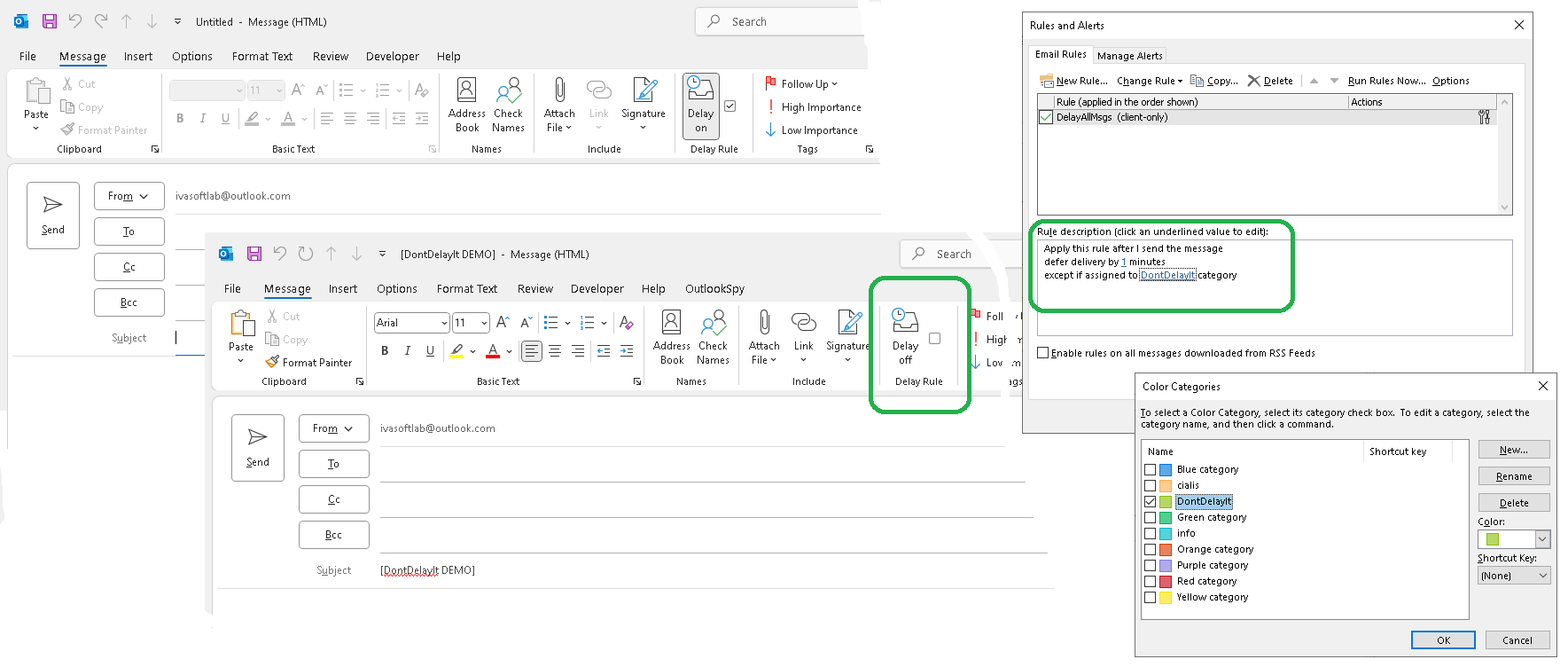
The application is a COM add-in compatible only with classic desktop Outlook for Windows. It does not support the new Outlook for Windows.

Current version: 1.0.1
Installation
- Download and extract DontDelayIt_DEMO.zip. If Outlook is running, close it before running DontDelayItSetup (DEMO).exe and following the on-screen instructions.
- Start Outlook and click File > Options > Add-ins. Select "COM add-ins" in the Manage: list box and click the Go button. Verify that DontDelayIt appears in the list and is enabled.
- Create or modify the delay rule. The add-in works only with rules that use the 'DontDelayIt' category.

Testing
- Open Outlook and create a new message. Note that the "Delay rule" ribbon tab looks like this:
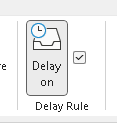
This means the message will be handled by the 'DelayAllMessages' rule. - Click the "Delay on" button and verify that the ribbon tab updates to show:
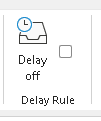
- Send the message and verify that it is sent immediately with no delay.
Demo Version Notes
The demo version appends "[DontDelayIt DEMO]" to the subject line of each message excluded from the delay rule; the full version does not.
Uninstallation
You can uninstall the add-in via Settings > Apps ("Installed Apps" in Windows 11, "Apps & features" in Windows 10).
Pricing and Licensing
This product is licensed per user.
Payments are processed by PayPro Global. For payment-related support, contact PayPro Global Customer Support.
Payments are processed by PayPro Global. For payment-related support, contact PayPro Global Customer Support.


A Site license covers a single organization at one physical location, with an unlimited number of installations.
An Enterprise license covers all computers across a single organization worldwide, including all branches and remote users.
An Enterprise license covers all computers across a single organization worldwide, including all branches and remote users.